Citations You Can Open, Documents She Can Read, and a Mac App You Can Download Today
Since the last edition, most of our work has gone into one thing, which is making Miss Lucy something a lawyer can rely on for real work, and this post covers three parts of it. The first is the way she handles legal citations, including the controls we have built around them, which we call CiteGuard, to make sure every case she gives you is real and that you can open and read it for yourself. The second is her ability to read the scanned, photocopied and often non-English documents that most legal work arrives in. The third is a Mac app you can download and use today. Of the three, the citation work needs the most explaining, so I will start there.
In order to prepare a case, a lawyer would refer to earlier judgments that support their line of argument, and this is especially true of landmark judgments, where the Court's ruling is considered almost foundational to how the law is interpreted in similar situations. These references are called citations, and they are pivotal to making a strong argument in court, because for a citation to be of any use, the judge and the lawyer on the other side have to be able to find the case it refers to and read what it actually said.
Where Citations Come From
Over the last eighty-odd years, private publishing houses created hardbound volumes of these judgments, added their own headnotes and narrations to each case, sold the volumes to lawyers and made a business out of it. These citations did a great deal of good, because they standardised references and gave lawyers and court personnel a common reference system, so that a citation like (1997) 6 SCC 241 tells anyone exactly which set of reports, which volume and which page to turn to for the case. Over time, though, the same arrangement also built paywalls, and a full set of reports came to cost more than many lawyers could afford.
Building Our Own Record
We have taken it upon ourselves to bring these paywalls down to a degree permitted by law, and to improve the system itself by removing the errors and gaps left behind by a largely human-labour-driven process. We started with the Court's own records, because in 2023 the Supreme Court published an official list assigning its older cases plain reference numbers that it issues itself, free of charge, and we went through that list against the original judgments until we had a clean, verified record of 28,551 cases. The collection has grown well beyond that since, and Miss Lucy now holds close to 66,000 Supreme Court judgments, almost all of them with the full text of the decision, of which more than 52,000 carry a citation we have verified ourselves rather than one carried over from memory, and for more than 50,000 we hold a copy of the judgment itself, so that you can open and read the judgment that sits behind the citation.
So when Miss Lucy gives you a case today, she gives you the whole reference, which is the name, the court, the date, the particular paragraph she is relying on, and a link to the judgment you can open and read, so that you are able to verify her the same way you would check a junior, by reading the document for yourself.
Once this larger overhaul is complete, she will go further still and provide three or four citations for each case, one for each of the major reporter systems, so that the lawyer and the court staff can use whichever one they prefer. This means reading and aligning millions of court documents to a standard structure, and doing in about three or four months what the publishers built up over multiple decades and millions of man-hours, and that work is already underway and should be completed in phases by the end of the next quarter, after which we will take the same approach to statutes and government notifications.
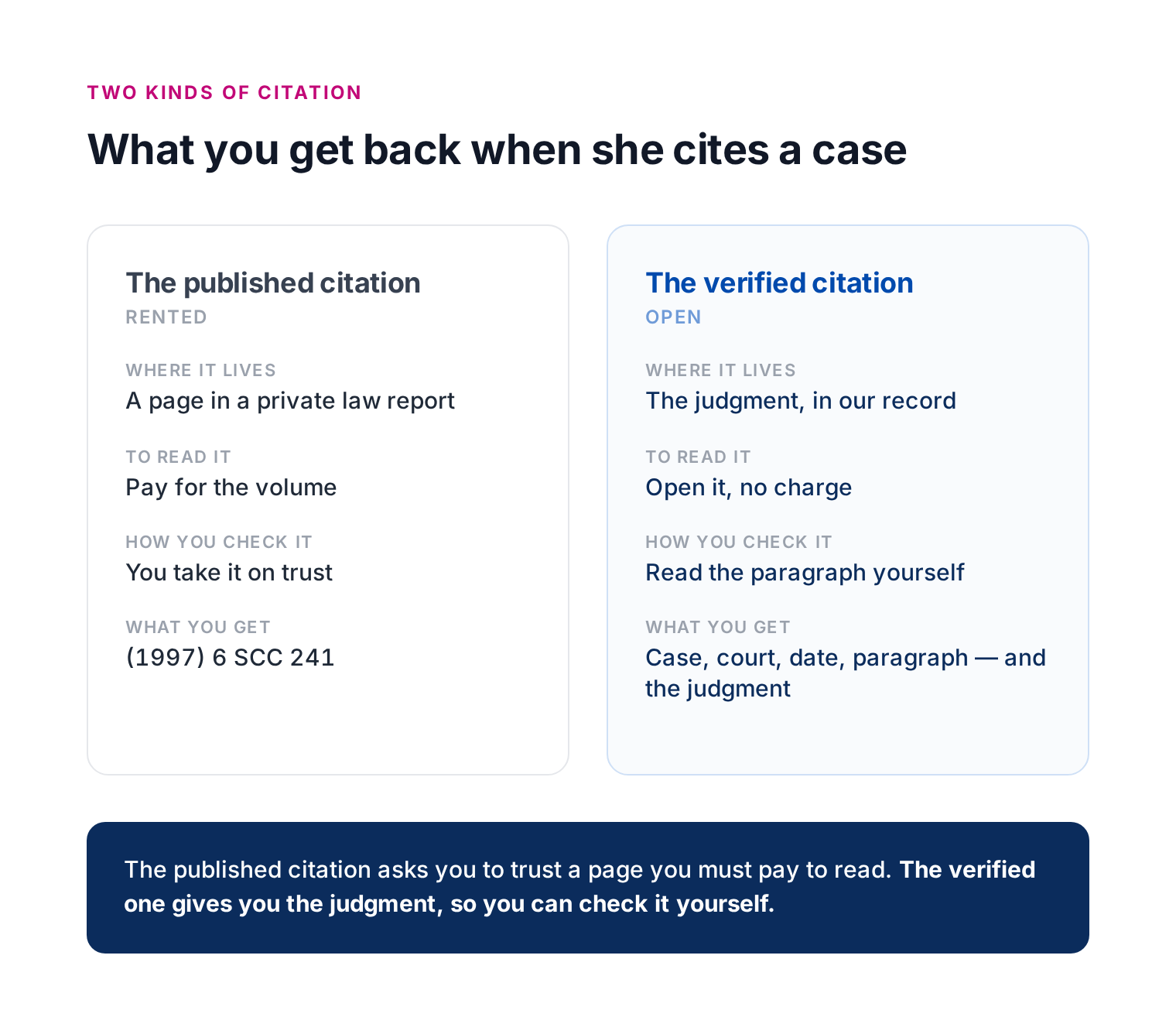 The published citation asks you to trust a page you have to pay to read. The verified one gives you the judgment so you can check it for yourself.
Why AI Invents Cases, and How We Stop It
It helps to understand why an AI invents a citation in the first place. A model like this works by predicting text a piece at a time, choosing what is most likely to come next from the enormous body of writing it was trained on, so what it gives you is really a very good approximation of what an answer should look like, rather than a fact it has looked up and confirmed. A citation has a very regular shape, with a year, a volume, the name of the reports and a page number, and the model learns that shape so well that it can produce something that looks entirely correct, with plausible numbers in all the right places, whether or not a real case sits behind it. It has no built-in step that pauses to check a citation against a real source, and it carries no genuine sense of its own uncertainty, so it will state an invented case with the same confidence as a real one. Worse, because it has been built to be helpful and to finish the task it is given, such as completing a filing or drafting a document, then unless proper controls hold it back it will fill a gap with a citation that looks right rather than stop and admit that it does not have one. None of this is the model lying, and it is not a rare slip that a little more luck would avoid, but simply how these systems work, and it is why lawyers in the United States, the United Kingdom and now India have ended up filing cases that were never real.
This is a feature of how these models work rather than a fault we can simply switch off, and it is here to stay, because short of the dozens of billions of dollars it would take to retrain a model from the ground up, the practical answer is to build strong controls around it. That is what we have done, and we have gathered our controls into a single package that we call CiteGuard. The idea behind it is one that accounting and bookkeeping have relied on for many years, the maker and the checker. Under the hood, one agent prepares the work, the document or the analysis or whatever it happens to be, and a second agent, genuinely independent of the first, checks that work against a set of parameters. One of the most important of those is citations, where the checker looks at whether each case is real and whether it points to the right paragraph, on the right page, in the right volume of the publisher's reports or in the Supreme Court's own published judgment. All of this happens before any output reaches the lawyer, and while it does add some time to the process, it reduces errors by many, many degrees. So far it has caught and stopped more than 200 invented or mismatched citations before they reached anyone.
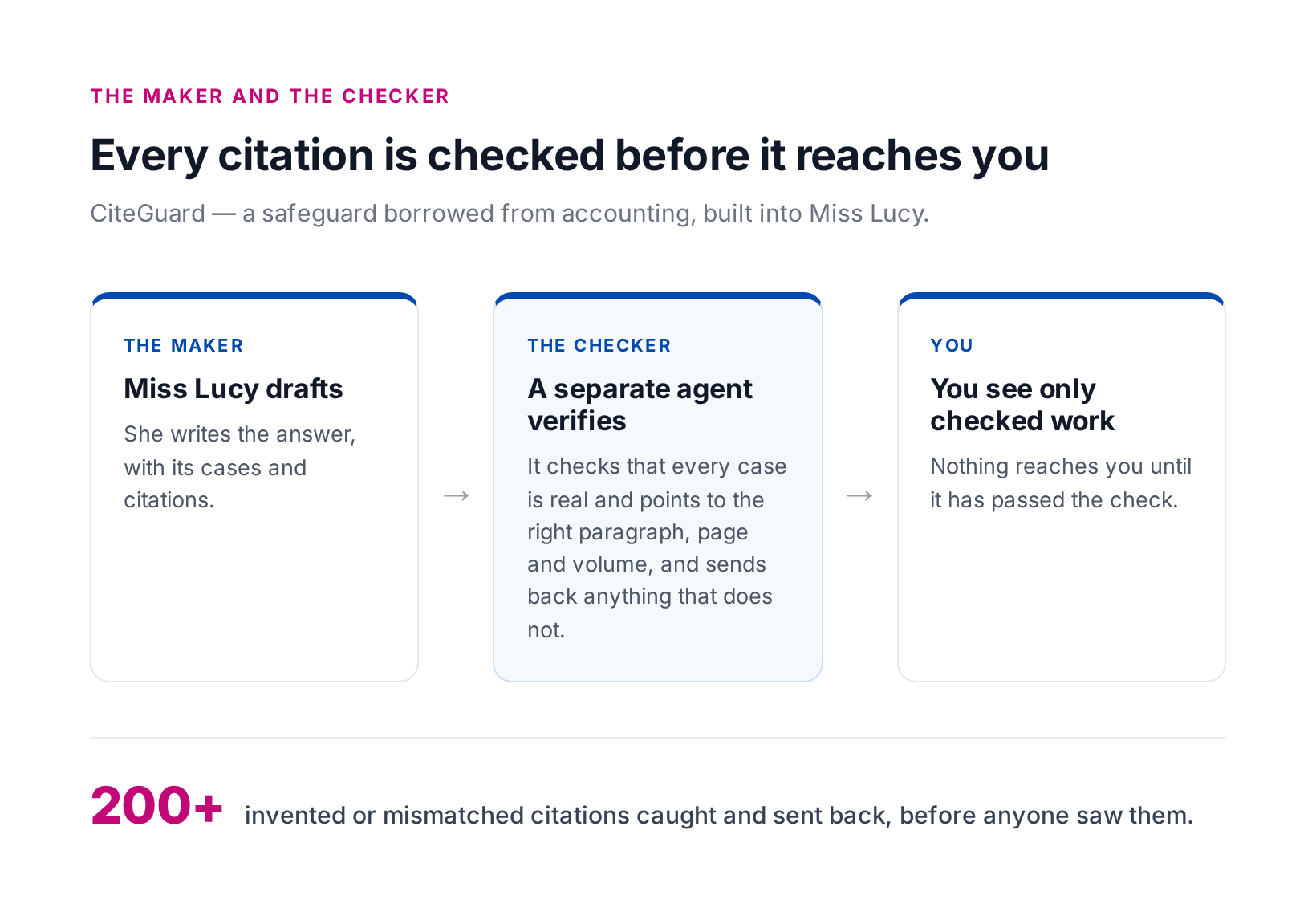 Miss Lucy drafts, a separate agent checks every citation against the real record, and only checked work reaches you.
Reading the Documents You Actually Have
The second piece is more everyday, and it comes up in almost every matter, because legal paperwork rarely arrives as a clean, typed file in a single language. A great deal of it is in Hindi or another Indian language, a great deal of it is handwritten, and a great deal of it mixes the two in ways that are surprisingly hard to handle.
Take a real example. A couple of employees of a company are arrested, and the officer recording the FIR, the police report that opens a criminal case, writes the company's name in Hindi, in the Devanagari script, so that a name registered in English as, say, ABC Private Limited is set down phonetically, the words "Private" and "Limited" and all. When an AI comes to translate that line back into English, it faces a real choice with no obvious answer, because it can either carry "Private" and "Limited" back into the English words they plainly are, or treat them as ordinary Hindi words and try to translate their meaning, which would turn the company's registered name into something it never was. This sort of mixing and merging of languages runs through Indian documents, and a single wrong turn of this kind changes the name of a party to the case.
Now lay that over everything else these documents carry, because they are handwritten as often as not, smudged, erased and written over, run through a cheap scanner at an angle and saved as a poor image, and once you are dealing with hundreds of thousands of them the real trouble is that none of it follows a pattern. It is not as though every tenth document is the difficult one and the rest are clean, so you cannot build a process that quietly assumes most files are fine, and instead you have to treat every single document as though it is riddled with problems. That is the actual difficulty in reading and translating legal paperwork at scale.
This is the work we have put into the way Miss Lucy reads a document, so that she takes it in whatever state it arrives in. She will read a scanned order, work through a document in another language and tell you what it says, give the mixed-script names and the smudged lines the care they need rather than guessing past them, and take a bundle of a hundred pages and work out what it is, who the parties are and what it covers, before filing it under the right matter so that it is there when you come back to it weeks later. The point is that you can begin from the file you actually have, instead of having to clean it up first.
A Mac App You Can Download Today
The third is something a number of you have asked for directly. Until now Miss Lucy has lived inside a browser tab, which works well enough but is never quite the same as having a tool of her own on your machine, so we have built a proper Mac app that brings your documents, your matters, your conversations and her reasoning together into a single window — and as of today, it is ready and you can download it.
The Mac app, and in time an iPadOS app alongside it, is where Miss Lucy will be at her best from here on. The web version is not going anywhere and will keep getting its own improvements, but the desktop is where we can give her the finest experience we are able to build, and we have chosen the Mac quite deliberately, because we think it is the best business machine available today, the current MacBook being about as good a tool as money can buy for work of this kind, and for this sort of work we do not think anything on the Windows side currently comes close.
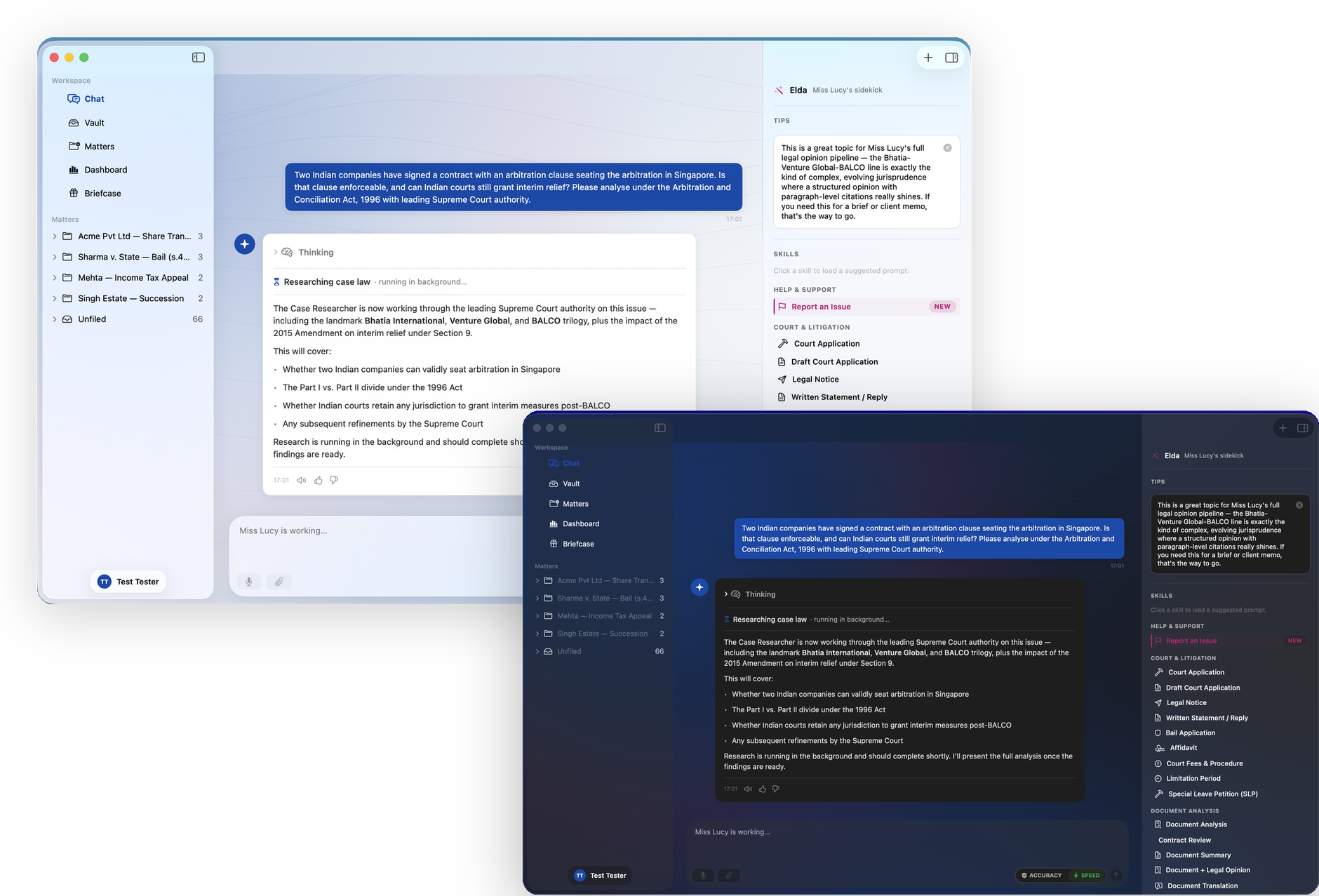 The Mac app, in light and dark mode.
The app itself is a small download, about four megabytes, and it is notarized by Apple, which means it opens cleanly with none of the security warnings that unsigned software produces. You open the disk image, drag Miss Lucy into your Applications folder, and launch her — that is the whole installation. It needs macOS 26 or later, you sign in with the same account you use on the web, and from then on it keeps itself up to date on its own, so you will never need to come back for a newer version. If you would like it on your desk, the download page is here.
None of this is complete, and I am not going to pretend that it is, but the same idea sits behind all three pieces of work. The law is meant to be public, and a lawyer ought to be able to read for herself the cases, the documents and the authorities she relies on, rather than take them on trust or pay each time simply to confirm them, and a junior who cannot yet afford a full set of law reports should still be able to stand up in court and support every case she cites, because she has read the judgment for herself. That is the system we are trying to build.
I'm Ani, co-founder of Miss Lucy — India's first conversational legal intelligence partner. If you're a young advocate who can't yet afford a wall of subscriptions, a lawyer who has been caught out by a citation that didn't check out, or simply someone who believes the law should be something you can open and read, come and see what it looks like at miss-lucy.in.
Ready to lead the Generation Leap?
Join the charter partners using Miss Lucy to transform Indian legal research.
Request Early Access